

When opting for a solution like standalone access control, which offers cost-efficiency for smaller facilities but limited centralized functionality, it's important to consider the size and scope of your organization, and what kind of access you need the ability to grant. In this article, we cover how standalone systems work, the main types, their benefits and drawbacks, and the situations where they make sense.
What is standalone access control #
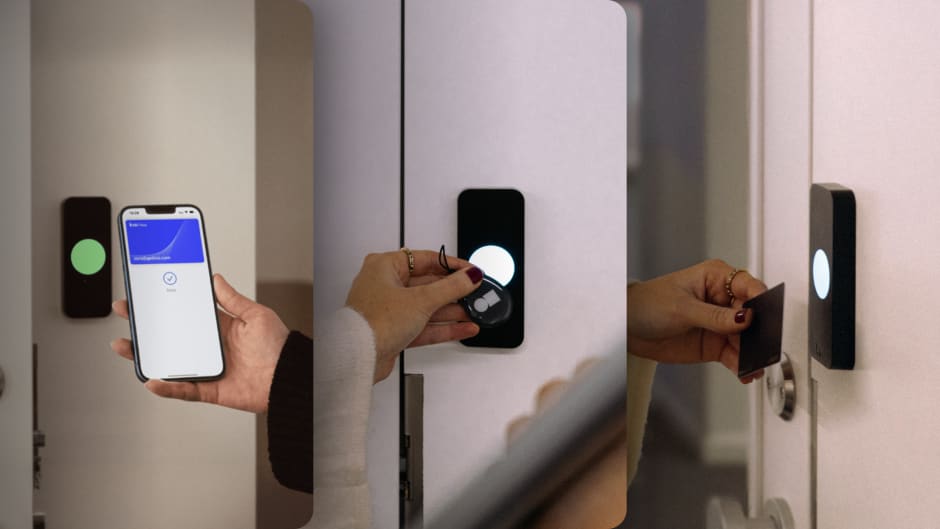
In standalone access control systems, all electronics are installed in a keypad or reader and there are no additional components or peripherals, such as extra wiring, routers, sensors, or alarms. Standalone access control is typically found on doors with low-level security or is used for smaller buildings with no additional exits.
Standalone units can be built with a touchlock system, which means that the user must type in a PIN code to be granted access. Standalone access controllers can also include proximity readers that work with contactless cards and key fobs.
Older systems relied on magstripe cards that had to be swiped through the reader, though these have largely disappeared from new installations because the technology is easy to clone. More recently, battery-powered smart locks with Bluetooth or Wi-Fi have blurred the line: they install as standalone units but can pair with an app for basic management.
Types of standalone access control systems #
Standalone systems come in a few common forms, and the differences mostly come down to how users authenticate at the door.
Keypad systems are the simplest and cheapest. Users enter a PIN code to unlock the door. They work well for storage rooms and back offices, though shared codes are a known weakness: once a code circulates among staff, there's no way to know who actually opened the door.
Proximity and fob systems use contactless cards or key fobs. Each credential can be programmed individually at the unit, which gives you slightly more control than a shared PIN, but adding and removing users still happens manually at each door.
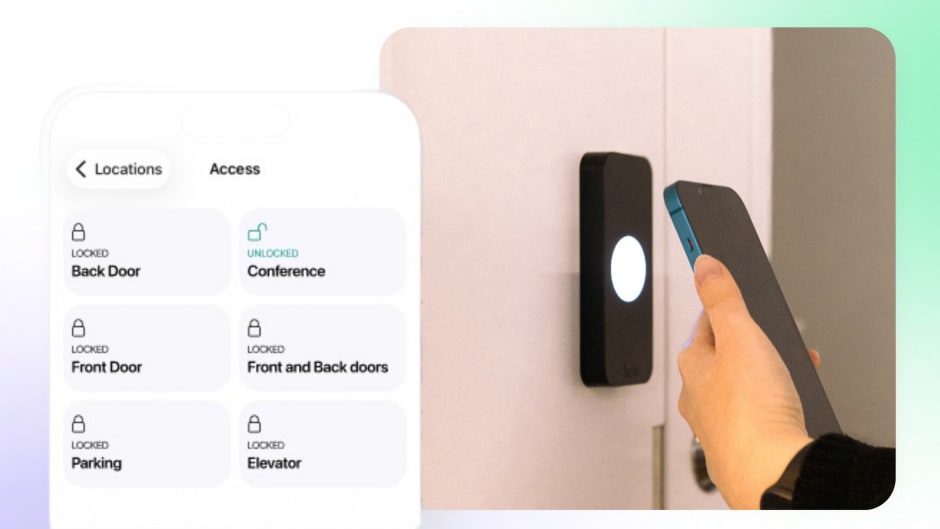
Standalone smart locks combine the lock, reader, and controller in one battery-powered device. Many pair with a smartphone app over Bluetooth or Wi-Fi, which adds some convenience, but management stays local to each lock.
Benefits of standalone access control #
The first and most obvious advantage of standalone access control systems is cost-effectiveness. Since they come at the lower range of the security systems, they are the preferred option for low-budget security plans, for small offices or low-security areas.
Standalone units are easy to install. They come with a quick installation guide so that an average person can install them without incurring additional fees for security specialists.
A standalone access control unit provides a variety of access options, such as tokens, fobs, cards, and codes, making it easy to manage, and cheap in terms of side equipment. They fit multiple architectural layouts and even in difficult access areas.
You can also add standalone units one at a time as needs come up, a door here, a storage room there, without committing to a full system. Just keep in mind that each new unit adds to the management workload, since every device is programmed separately. Past a handful of doors, that overhead is usually the reason businesses move to a connected system.

Planning an access control upgrade?
Learn what to look for in a system and how to set your deployment up for success.
Drawbacks of standalone access control #
Since standalone units don't belong to an access control system, it's impossible to monitor them from a central location in real time. Therefore, they don't provide sufficient security for large facilities with high-security requirements. There are also no entry logs: if something goes missing, a standalone unit can't tell you who came through the door or when.
Another substantial disadvantage of standalone access control systems is the inability to make changes centrally. When an access control system is connected to a central interface, the software can be used to change data in individual devices with one operation, resulting in identical access levels across the system.
For example, when the credentials for a delivery person are removed, the removal will affect all points of access, and that person won't be able to get in unless additionally authorized. In contrast, standalone access control systems store data locally and each device will need to be updated manually to implement the same change.
In terms of power supply, standalone units require constant vigilance and battery replacement to be able to work without interruption.
You cannot program a personalized lockdown schedule to a standalone unit. Connected access control systems provide the option of programming different timings for different persons and time periods. Therefore, you can manage who gets access when, or restrict the access only at night, over weekends, or on holidays.
Standalone access control for single doors #
The most common standalone deployment is a single door: one entrance to a shop, a server room, a storage area. For this use case, a standalone unit or kit is often all you need, and it's the cheapest way to put electronic access on a door.
The decision point is whether that door will stay the only one. A standalone unit on one door is easy to live with. The same unit on five doors means five separate devices to program every time someone joins or leaves. If there's a chance you'll expand, it's worth picking hardware with an upgrade path to a connected system from the start.
Best use cases for standalone access control #
When you need to provide low-level security at an affordable cost, standalone access control units are an effective solution. For instance, they can meet the security requirements for internal doors in smaller offices within a business lease complex.
Here are a few additional examples of situations where standalone access control could be the right solution:
- Personal abodes, such as houses or apartments, can use standalone access units because they serve the limited security needs, while also providing privacy.
- For storage spaces and sports locations, standalone units can provide just the right level of protection without unnecessary costs.
- Small businesses that don't yet need to invest in expensive system integrations can start with a single standalone unit.
- Physically inaccessible areas that cannot be covered by a system solution can be secured with a standalone component.

Frequently asked questions #
Do standalone access control systems keep entry logs? #
Most don't. Since there's no connection to management software, basic standalone units simply unlock when the right credential is presented, without recording who or when. Some standalone smart locks store a limited log in the device itself, but reviewing it means going to each lock. If audit trails matter for your business, you'll need a connected system.
How much does standalone access control cost? #
A basic standalone keypad or reader runs roughly $50 to $300 per unit, while complete single-door kits with lock hardware start around $200 to $500. There are no software fees, which is a big part of the appeal. The tradeoff is that all management is manual.
Can I connect standalone units into one system later? #
Usually not with the same hardware. Most standalone units aren't designed to network with each other, so upgrading typically means replacing them with connected readers and a controller. If you expect to grow, choosing hardware with a clear upgrade path from the start saves money down the line.
What's the difference between standalone and cloud-based access control? #
A standalone unit stores everything locally and is managed at the door. A cloud-based system connects doors to management software, so you can grant or revoke access, view entry logs, and set schedules remotely across any number of doors. Standalone wins on upfront cost for one or two doors. Cloud-based wins on everything involving management, visibility, and scale.
When standalone is enough, and when it isn't #
Standalone access control does one job well: it puts electronic access on a door for the lowest possible cost. For a single entrance, a storage room, or a small space with stable staff, that's often all the security you need.
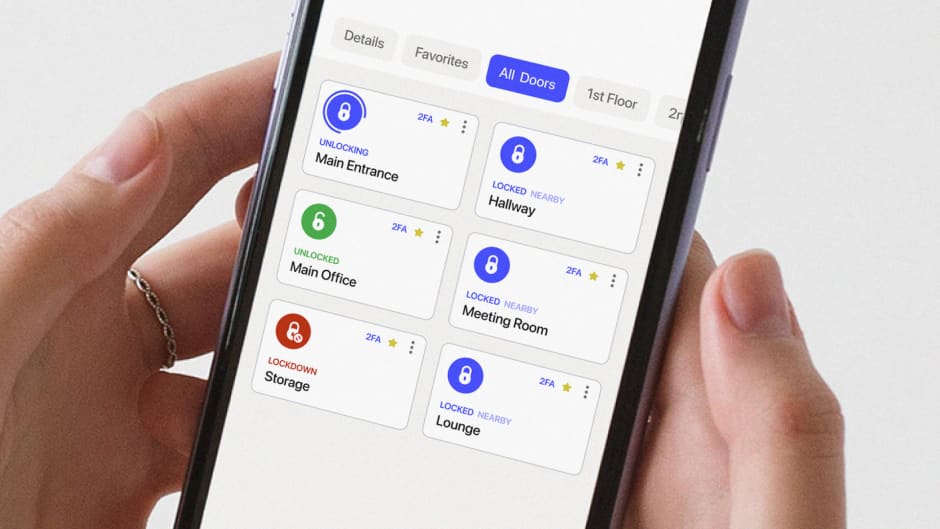
The limits show up as soon as you need to know who came in, change access without walking to the door, or manage more than a couple of entry points. That's the point where a cloud-based system like Kisi starts paying for itself, with remote management, real-time entry logs, mobile credentials, and the ability to add doors and locations without adding admin work.
If you're weighing the two, our team can walk you through what your space actually needs. Get a demo or explore how Kisi's access control system works.

Ready to move beyond keys and legacy systems?
See how cloud-based access control improves flexibility and visibility.