Desk booking for hybrid teams
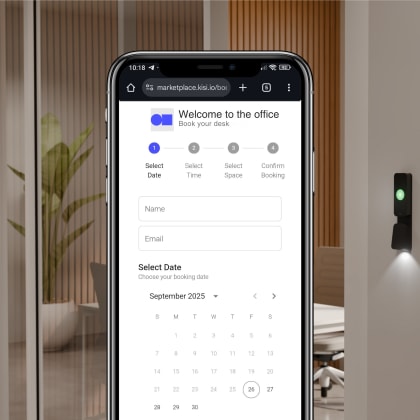
Support desk booking and desk sharing across floors and teams. Hot desk booking software shows real-time availability, so people reserve workstations ahead of time and avoid overlap.
See what’s available, book what you need, and keep shared spaces running smoothly. With Kisi Bookings, you manage desks, meeting rooms, parking, and shared assets in one place, all without spreadsheets or manual coordination.
Designed for the spaces you manage every day
Support desk booking and desk sharing across floors and teams. Hot desk booking software shows real-time availability, so people reserve workstations ahead of time and avoid overlap.
Manage conference room booking with clear schedules and shared visibility. Teams see availability instantly and book the right room for every meeting without overlaps or last-minute changes.
Manage parking spaces, equipment, and shared assets in one place. Reservations stay organized, and help teams reserve the tools and spaces they need without manual coordination.
Shared spaces work best when booking stays simple and predictable. Kisi Bookings supports hybrid offices, co-working spaces, and internal teams with clear availability, booking rules, and usage insights. From desk booking and conference room booking systems to parking booking and shared resources, everything stays visible and easy to manage.
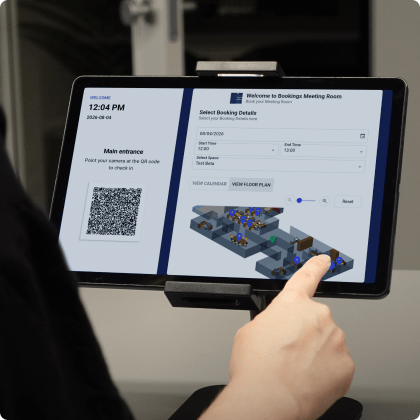
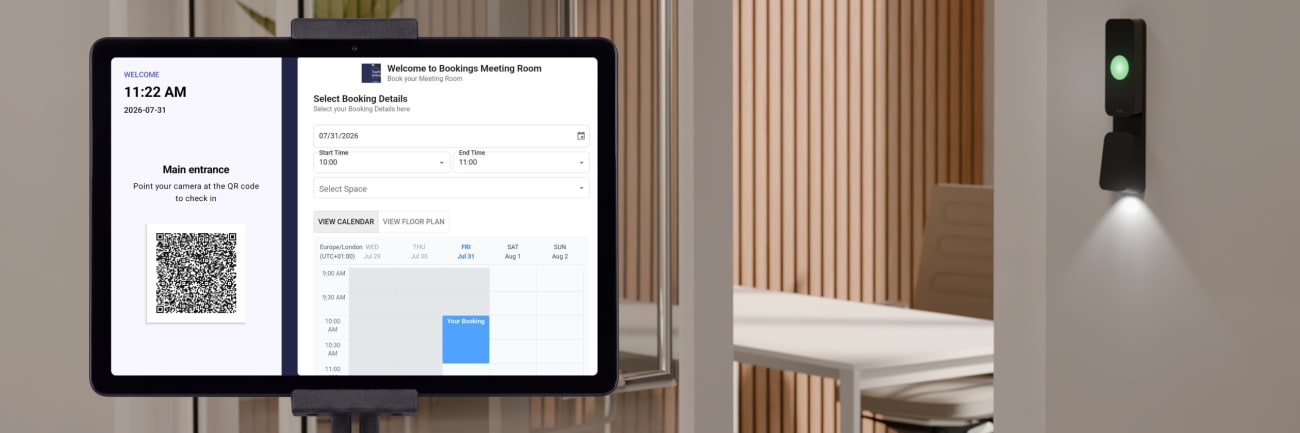
Book what you need in just a few clicks. As you choose a day, time, and space, only available options appear, keeping bookings accurate and overlap-free without extra checks.
Limit bookings by team, time, or location. This supports workplaces with shared resources, tiered access needs, or compliance requirements, without adding friction for users.
Give users a clear visual of your space. Bookable desks, rooms, and parking spots appear directly on a floor plan, so selections feel intuitive and confident.
Booking-driven access and clear usage records
Set up
Step 1
Define bookable spaces
You list desks, meeting rooms, conference rooms, parking spaces, or shared assets as bookable spaces. Each space includes a name and location, and follows the availability schedule and booking rules set for that location. You place spaces directly on a floor plan, so users see where each resource is located. A preview appears with the booking link and QR code, so you see exactly how users reach the booking page.
Assign
Step 2
People book what they need
A user opens the booking page (link, QR, embedded page, or Kisi UI), selects a desk, meeting room, conference room, parking spot, or equipment, and picks a time slot. Availability updates instantly, keeping bookings conflict-free. Calendar invites and notifications keep bookings visible and organized. To keep schedules consistent, booking length is predefined for each space and shown during selection.
Access & manage
Step 3
Manage bookings and insights
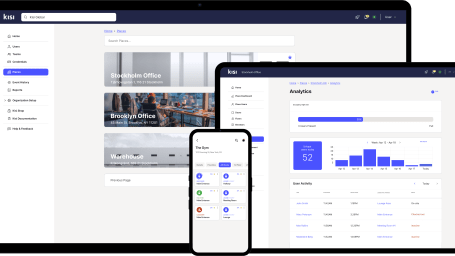
When a reservation starts, Kisi adds the booked user to the assigned Group, so access matches the reservation window. Based on your configuration, access begins a few minutes before the booking to support arrival and setup. When the booking ends, the user is removed from the Group. Usage insights show how your spaces are used across days and hours, helping you refine availability, rules, and layouts with confidence.
Flexible booking management for modern workplaces
Save time, reduce admin overhead, and give employees and visitors a seamless booking experience. Get early access with the Kisi Bookings beta. Use it to book:
Rooms: Reserve meeting and other spaces in advance to avoid conflicts
Parking: Secure a spot before arrival and keep traffic smooth
Equipment: Reserve desks and shared resources to stay organized
Loading
Hardware that supports a seamless booking experience
Kisi Bookings works alongside Kisi access hardware to connect booking rules with physical spaces. Choose the setup that matches your doors, entry points, and workplace layout.
Popular
Controller Pro 2
$850
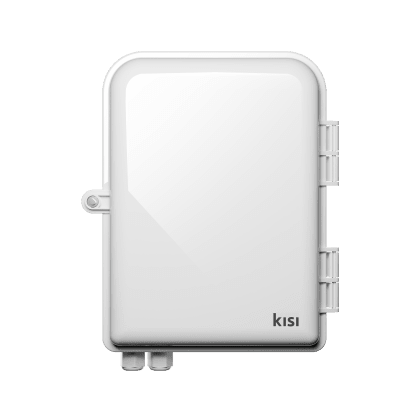
Connect and manage up to four doors per location with a secure, cloud-powered controller. Controller Pro 2 supports booking-driven access rules and works across desks, meeting rooms, conference rooms, and shared areas.
Optional
Terminal Pro
$595
Support flexible booking flows with QR-code access for visitors, shared desks, or meeting spaces. Terminal Pro works well for workplaces that share booking links or QR codes in common areas.
*Hardware prices listed applicable only when purchasing Kisi OSP, Flex, or Fit plans.
Explore resources for workspace booking and planning
Understand how desk booking software, meeting room booking systems, and parking booking systems support flexible work and shared environments.
Automation trends | Cloud-based tech
Discover what desk booking systems can do, their advantages and importance in modern workplaces. Explore the top five desk booking solutions list.
Shared workspaces | Access control software
Explore the best office management software for hybrid workplaces, and compare tools for space booking, utilization, and modern office operations.
Cloud-based tech | Automation trends
Discover how to create a connected workplace that runs more smoothly, promotes higher productivity, and lifts employee morale with the right tech.
Cloud-based tech | Automation trends
Discover the best hybrid work tools and technologies. Explore what they do, how they support hybrid work, and why they might be worth the investment.
Shared workspaces | Access integrations
Take a closer look at coworking software, explore what to look for, and discover information about the 10 most impressive options on the market.
Revenue-driven scheduling: Maximizing bookings, streamlining operations
Webinar
Watch the on-demand webinar and discover how bookings can take your fitness business to the top.
FAQ
You define desks and availability, publish interactive maps, and let teams reserve workstations ahead of time. Clear time windows keep desk sharing fair and predictable.
Employees book spaces themselves, availability updates automatically, and you spend less time resolving conflicts or managing requests manually.
Kisi Bookings only shows options that are actually available. When someone selects a day, time, or space, unavailable options never appear. This keeps bookings conflict-free without manual checks or approvals.
No. Kisi works alongside your existing tools while providing a dedicated system for managing physical spaces.
Yes. Kisi Bookings supports shared desks, rooms, and resources across multiple teams and tenants with clear booking rules.
Paid bookings use a Stripe integration. You decide which spaces require payment, and users complete payment during booking.
Enable cookies to help us improve your experience.
We use cookies to enchance your experience and for marketing purposes. By clicking ‘accept’, you agree to this use.