


Access control used to be one of the “backend” parts of opening gyms. It sat in the category of “lock buying” and “fob handing”. Things have come along ever since, and, now, the system you choose can decide whether you can run 24/7 without night staff, whether lapsed members can still walk in, and how much (if any) revenue leaks out the door. Gym access control systems are a business decision dressed up as a hardware purchase, and below we’ll evaluate your options: features, costs, installation and more.

What should gyms look for in an access control system? #
Access control systems come with many features. Some are nice to have, others mandatory. Here's how to weigh each piece:
Membership software integration #
This is the one criterion that separates gym-grade systems from generic office access control. When someone's payment fails or their trial expires, their access should die on its own, without a staff member remembering to deactivate a fob. To be precise, look for native integrations with your gym management platform (Glofox, Gymflow, ABC Ignite, Exercise.com and similar).
Credential options #
There is a chance that members will lose fobs. However, they will most definitely not lose their phones, at least not for long. Mobile unlock (tap, Apple Wallet, in-app) should be the default, with cards and fobs as backup for the members who want them. Also important, QR codes matter more than they sound, because they're how you hand out trial passes and day passes without shipping plastic to a stranger.
Cloud management #
Ideally, you should be able to unlock a door, revoke a credential, or check who entered at 3am from your phone, not from a PC in the back office. Cloud-based management systems can do all that and also update themselves, which matters more over a five-year ownership window than any spec sheet.
Security features for unstaffed hours #
If you're planning extended or 24/7 hours, the access system can be your front desk. Especially nowadays, since tailgating detection (cameras cross-checking entries against credential scans) is the feature that makes unmanned operation viable. And especially since one credential opening the door for three people is the most common way gyms lose money.

How much does gym access control cost? #
For a typical gym with two access-controlled doors, expect somewhere between $15,000 and $30,000 for a complete first-year setup: readers, controllers, electric locks, entry cameras, installation, and software. Naturally, a single-door boutique studio lands well under that.
Hardware runs $500 to $1,500+ per door for cloud-connected systems, depending on the reader and lock type. Premium setups with mobile-enabled readers and cloud controllers can reach $1,000 to $3,000 per access point.
Installation is the variable people underestimate. With functional electronic locks already in place, budget $500 to $1,500 per door. Starting from mechanical locks pushes that to $1,200 to $2,500 per door, because the electrician has more to do.
Software is a subscription, usually $30 to $200 per month depending on doors, users, and features. Credentials are the smallest line: mobile credentials typically cost nothing per member, cards and fobs a few dollars each.
Two things keep this from being a pure expense. Extended hours are a direct revenue lever, since 24/7 access is a membership tier people pay extra for and it costs you no additional payroll, and tailgating prevention recovers entries you're currently giving away. For a mid-size 24/7 gym cutting one overnight desk shift, payback on a full install can arrive within months.

How long does gym access control installation take? #
For most gyms, installation takes a few hours to a few days per location, depending on what's already in the walls. The answer splits into two scenarios:
Retrofitting an existing gym #
If your doors already have electronic locks, a cloud system can usually reuse the existing wiring and sometimes the readers, so a two-door retrofit is often a one-day job. Legacy systems built on standard Wiegand wiring migrate without ripping anything out. The slow version is a gym with purely mechanical locks, where each door needs an electric strike or maglock installed first.
Setting up access control in a new gym #
If you're building out a new facility, you have an advantage of the walls still being open. Therefore, you can run low-voltage cable to every door you might ever want controlled, not just the front entrance, before drywall goes up. Adding a cable later costs more than adding it now. Choose door hardware with access control in mind from the start, since a lock that's access-control-ready saves you the retrofit cost entirely.
Sequence matters too. Pick your gym management software and your access system together, before you sign with an installer, so the integration is confirmed rather than assumed. Then the actual install slots into your buildout schedule instead of becoming a post-opening disruption. A new gym that plans access control at the blueprint stage typically spends less per door than an established gym retrofitting the same setup.
How do you give temporary access to gym members and guests? #
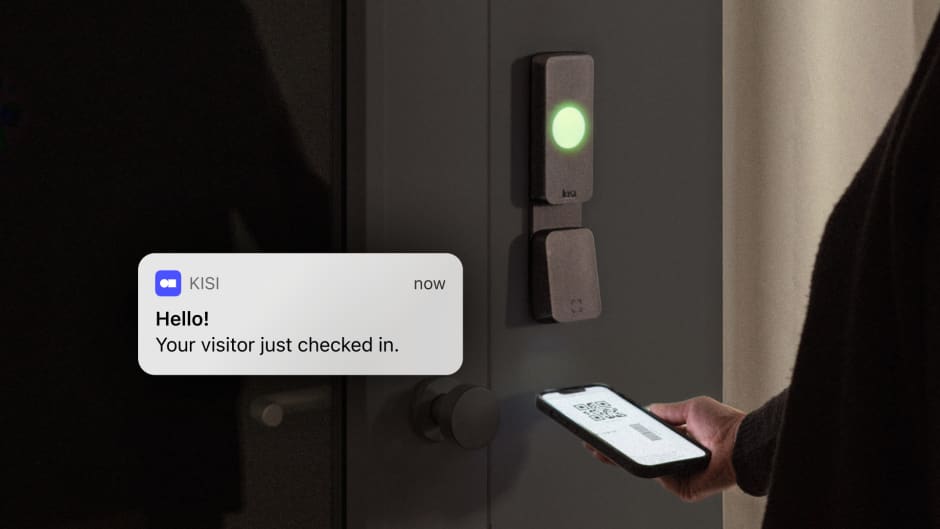
Temporary access should be a credential with an expiry date, not a key someone has to get back. Modern systems handle this in a few ways. For trial members and day passes, QR codes or time-limited mobile credentials work best. The prospect gets a code by email, it works for the day or the week, and it stops working on its own.
For class guests and plus-ones, some gyms issue single-use codes tied to a booking, so the guest pass in your software becomes an actual door unlock. For cleaners, trainers, and contractors, schedule-limited credentials do the job and if someone leaves the company, you revoke from the dashboard in seconds rather than rekeying anything.
For the unattended lobby problem (a delivery, a visitor, someone who forgot their phone, etc.), a video intercom lets staff see who's at the door and buzz them in remotely, even from another location.
Now, the thread connecting all of these is the following: temporary access should live in software, expire automatically, and leave a log. If your system requires physical objects for short-term visitors, it will leak, so it’s best to adopt earlier rather than later.
What happens if the internet goes down? #
In a properly designed cloud access system, doors keep working during an internet outage. Access permissions are cached locally on the door controller, so members unlock exactly as they did an hour earlier. The controller stores entry events during the outage and syncs them back to the cloud once the connection returns, so your logs stay complete.
What you lose during an outage is the remote layer, meaning you can't push permission changes, watch live events, or unlock doors from the dashboard until connectivity is back. What you keep is the part members use, which is the door opening.
This is worth verifying before you buy, because implementations differ. Ask the vendor three things: are permissions cached at the controller (not just at a server on your network), how long does cached access remain valid offline, and what's the fail state on power loss, meaning does the door fail locked or fail open.
FAQ #
Do gyms need access control? #
Any gym running unstaffed hours does, since the system replaces the front desk for entry decisions. Staffed-only gyms benefit mainly from automated membership enforcement, so lapsed members stop getting waved through.
Can gym members get 24/7 access? #
Yes, and it's one of the most common reasons gyms install access control. Members unlock with a phone or fob at any hour, while the system enforces who's allowed in and logs every entry.
Can access control work with my existing gym software? #
Usually, but it’s best to confirm the specific integration. Leading access systems sync natively with platforms like Glofox, Gymflow, and ABC Ignite, so membership changes update door access in real time.
How many doors should a gym control? #
At minimum the member entrance and any staff or back-of-house doors. Many gyms also control studio rooms, saunas, or premium areas to enforce membership tiers.
Making the decision with Kisi #
One conclusion we can draw is this: match the system to the gym you're running, not the gym in the brochure. A staffed boutique studio needs clean software integration and mobile unlock, and can (maybe) skip the camera layer. A 24/7 gym needs tailgating detection and solid offline behavior, because there's no human backstop. A franchise or multi-location operation needs centralized management above all, one dashboard across every site.
From there, shortlist two or three vendors and confirm the integration with your exact gym software. If you want to see how this looks in practice, Kisi's fitness solution covers the full setup from mobile unlocks to tailgating detection.


Ana Coteneanu
Content writer @ Kisi | Ana focuses on long-form content that explores access control, space monetization, security, and modern workplace operations. With a background in technology-driven industries, she specializes in turning complex topics into practical insights for business audiences.
