


Cloud security incidents rose 37% year-over-year in 2025, and over 94% of enterprises experienced at least one cloud breach in the past year, because the way organizations configure, access, and govern it leaves gaps that attackers have gotten very good at finding.
That being said, it’s obviously important to maintain a cloud network, but knowing where to focus is half the battle. The threats have shifted considerably and AI-generated phishing has become harder to detect than ever, but there are also new protections you can put in place.
One thing worth establishing before we jump into it: cloud security is a shared responsibility. Your cloud provider secures the underlying infrastructure. Everything else (meaning your configurations, your access controls, your data) is on you. Most breaches happen in that second category.

1. Train employees (especially for AI-driven phishing) #
More often than not (and hard to believe sometimes) uneducated employees account for a large portion of security breaches. Unfortunately, being educated in the age of AI is a serious liability, especially since phishing emails are now grammatically flawless, contextually convincing, and personalized. That means that the visual cues employees were trained to spot no longer apply in the same way.
Alas, there is a silver lining. First, implement security training and involve the entire company. When employees across departments understand what's at stake and what good security behavior looks like, they're more likely to act on it. Brief everyone, not just new hires or the IT team.
Second, set up a response protocol. Employees who think they've been compromised need to know exactly what to do, otherwise they will just end up ignoring or covering the problem. If you have a clear, documented procedure (e.g. who to contact, what not to touch, what to preserve), reduce the damage window considerably.
Finally, run simulated phishing tests, including AI-generated ones. Most phishing simulation tools now support AI-driven scenarios. Run them unannounced and adjust training based on who clicks what.
2. Enforce zero trust and least-privilege access #
The old model (just trust everyone inside the network perimeter) doesn't work in cloud environments where there is no perimeter. Zero Trust replaces that assumption with a simpler rule: verify every access request, every time, regardless of where it originates.
This means:
- Multi-factor authentication (MFA) for all accounts, especially privileged ones. Phishing-resistant MFA (hardware tokens, FIDO/WebAuthn) is stronger than SMS-based codes, which can be intercepted.
- Least-privilege access. Users and systems should only have access to what they need for their current role, and nothing beyond that. Overprivileged accounts are one of the most exploited weaknesses in cloud environments so an attacker who gets into one gains far more access than they should.
- Regular access reviews. People change roles, leave organizations, and accumulate permissions over time. Quarterly audits to remove dormant accounts and excess permissions close a common and avoidable gap.
It’s also highly, highly important to establish access controls to manage risk and tie user identities to back-end directories, even for external identities. Plus, you need to implement single sign-on (SSO) to reduce password sprawl, but ideally pair it with MFA, because SSO without MFA just makes credential theft more efficient for attackers.
3. Secure your data backup plan #
As the cloud continues to mature, the possibility of permanent data loss is high, so whatever happens, you should have a secure backup of that data.
A few things to get right:
- Distribute data and applications across multiple zones or regions so a single failure doesn't take everything down.
- Adhere to the 3-2-1 rule: three copies of data, on two different media types, with one stored offsite (or in a separate cloud environment).
- Test your backups and run regular restore drills so you know exactly how long recovery takes and what gaps exist.
- Apply access controls to backup environments, because if your backup storage is as accessible as your primary data, attackers will find both.

4. Encrypt data, both in transit and at rest #
Cloud encryption allows for data and text to be transformed using encryption algorithms before being placed in a storage cloud.
Two environments require encryption: data moving between systems (in transit) and data sitting in storage (at rest). Both need to be covered and TLS 1.3 is the current standard for transit, while AES-256 is widely used for data at rest.
Ask your provider how data is managed and remember you can encrypt at the network's edge, so the movement of data in the cloud is protected. Once encrypted, keep the keys that both encrypt and decipher your information, even if the information is stored at a third-party provider, all information requests will need to involve the owner.
Also, do not store encryption keys in the same environment as the data they protect. Cloud providers offer dedicated key management services (AWS KMS, Azure Key Vault) for exactly this purpose. If an attacker compromises your storage and finds the keys sitting next to the data, the encryption is therefore useless.
5. Go beyond passwords #
Since files are zipped and encrypted with passwords, it's important to choose one wisely. Most passwords (90%, to be exact) can be cracked within seconds.
The gap between password complexity and password-cracking capability has widened. What counted as a strong password five years ago is now breakable with commodity hardware.
The industry has evolved, so organizations be sure to take into account:
- Password managers for teams eliminate reuse and weak passwords without placing the burden on individuals to remember complex credentials.
- MFA as a baseline, not an optional extra.
- Passkeys are the passwordless standard now gaining traction across major platforms, mostly because they're phishing-resistant by design and worth evaluating for employee-facing systems.
6. Find and fix misconfigurations #
This is the tip that's missing from most cloud security checklists, despite misconfigurations being the leading technical cause of cloud breaches. The average enterprise runs over 3,000 misconfigured cloud assets at any given time, and 70% of those go undetected for weeks or months.
Common misconfiguration mistakes include overly permissive storage bucket policies, open database ports, weak API security settings, and IAM policies that grant access far beyond what's needed.
None of these require sophisticated attacks to exploit, being mostly unlocked doors, so do the following:
First, implement cloud Security Posture Management (CSPM) tools to continuously scan your cloud environment for misconfigurations and flag them before attackers find them.
Also, always treat configuration as code. Store infrastructure configurations in version control so changes are tracked, reviewed, and reversible.
Then, audit new deployments before they go live. Misconfiguration rates are higher in rapidly-deployed environments, so you need to build a security review into your deployment pipeline rather than patching after the fact.
7. Test regularly and act on what you find #
When putting measures in place to protect your cloud, think like a criminal. One of the best ways to do this is penetration testing a.k.a. an IT security practice designed to identify and address vulnerabilities before attackers do.
Google Cloud's H1 2026 Threat Horizons report found that the window between vulnerability disclosure and active exploitation has collapsed from weeks to days.
A few things to keep in mind: a penetration test looks like a real attack, so inform your cloud provider before beginning. Evaluate your weaknesses and create an inventory of what to test: servers, applications, APIs, access paths.
Bottom line #
Cloud security isn't a one-time project. The threat landscape shifts, organizations change, and configurations drift. The seven tips above cover the areas where most breaches happen : identity, access, encryption, backups, misconfigurations, employee behavior, and testing cadence. Addressing them won't guarantee that nothing goes wrong, but it will mean that when something does, the damage is limited and recovery is faster.
If you want to go deeper on physical access security, which intersects with cloud security when it comes to managing who can access devices and spaces connected to your infrastructure: Kisi's guide to physical security assessments covers the fundamentals.
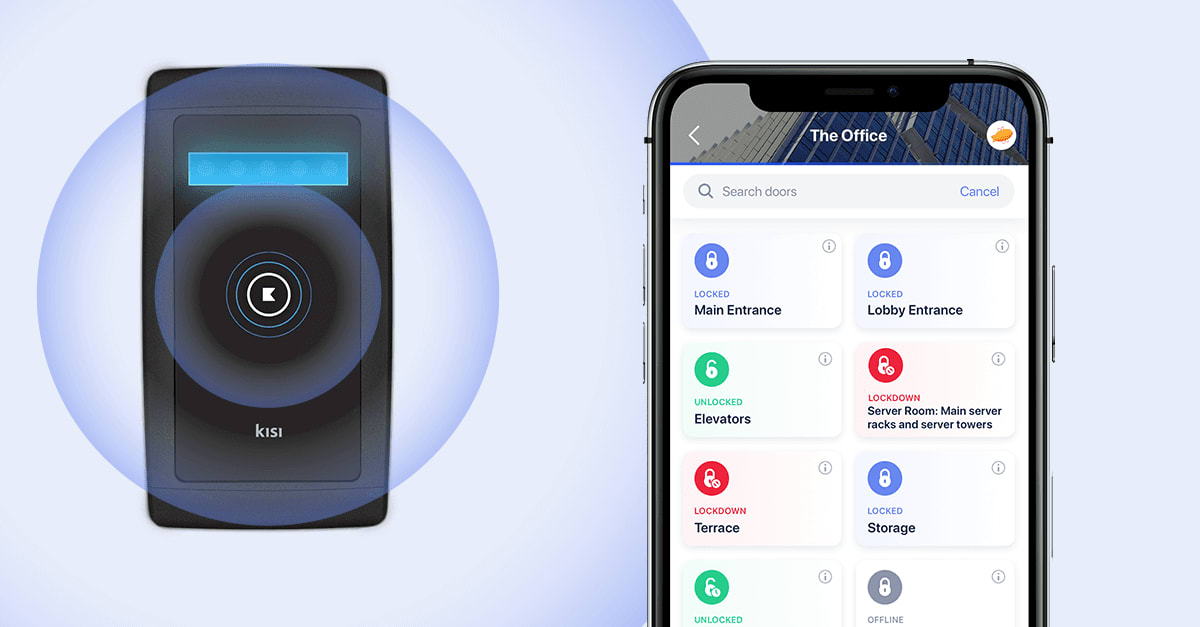
Ready to modernize the way you manage access?
See how a modern access control system can improve security and simplify operations.

Bernhard Mehl
Bernhard is Co-founder of Kisi. His philosophy, "security is awesome," is contagious among tech-enabled companies.

