


Providing an extra level of security, allowing clients, business partners, and investors into your space, and keeping unwanted guests at bay, the right visitor management software can help you achieve all these goals. Evolving technology has made visitor management easier and more convenient than ever, particularly when you integrate it with your access control.
However, not every visitor management software is made equal, and it's important to find the one that will meet your specific needs. To help speed up your search, we put together this guide of the top visitor management systems available today.

Understanding visitor management software #
Visitor management systems (VMS) are growing in popularity with organizations around the world. It's a sophisticated yet straightforward solution with many positive impacts for businesses.
The visitor management system market #
The visitor management industry is rapidly expanding as more businesses embrace the opportunity to automatically admit and deny visitors from entering. The Business Research Company valued the global market at $2.17 billion in 2025 and expects it to reach $4.28 billion by 2030, a compound annual growth rate of 14%. This progress is driven by an increased focus on security, demand for better visitor experiences, and concerns about regulatory compliance.
Much of that growth is expected to come from cloud-based platforms and contactless check-in. Analysts also point to closer integration between visitor management and access control, because organizations increasingly want the record of an invitation and the record of a door opening to live in the same place.
Visitor management use cases #
Organizations of all kinds regularly welcome visitors to their premises and need a way to screen, monitor, and track them. These are a few of the potential ways you can use visitor management software
- Checking in school visitors, including family members and guest speakers
- Admitting individuals visiting loved ones in healthcare facilities
- Preventing unauthorized visitors from entering government buildings
- Offering guest access to interview candidates, third-party contractors, and external partners
- Allowing guests with tickets to enter cultural buildings, such as museums, and events
Different solutions may be more appropriate for specific settings. For example, a system that allows visitor scheduling is especially valuable if you operate a business that regularly receives many guests, such as a school, hospital, or a coworking space.
Visitor management benefits #
Visitor management systems have several advantages, starting with greater security. The ability to keep an accurate, up-to-date record of who enters and exits a building is essential. With good software, you can see who’s on-site at any given moment. You can also gather data related to visitor activities, which is vital when investigating a security incident. This information also allows you to optimize your scheduling and space allocation.
Visitor management systems also improve compliance and the visitor experience with efficiency and automation. Rather than having a receptionist or security guard on-site to welcome guests, visitors can check themselves in using a QR code, kiosk, or mobile app. Some systems can also automatically screen prospective visitors against lists of unauthorized or dangerous individuals.
What to look for in visitor management systems #
To find the best visitor management platform for your business, you have to know exactly what you need. While your requirements will depend on the size and function of your business, most organizations are best-served by a solution with a few core characteristics.

Integrated visitor management system #
Understanding how a visitor management system will integrate with your existing infrastructure and software is just as important as finding high-quality software. Choosing a solution that can integrate with your access control system, for example, greatly simplifies the administrative process involved in admitting visitors into your space.
For one, having integrated systems means that once you’ve registered someone in your visitor management software, they’ll also be registered with your access control system. This limits the chance of error when you have important people coming to your space and keeps things running smoothly.
Integrated systems are also beneficial for optimizing security. It reduces the possibility of visitors being registered in one system but not the other, which can cause confusion and make it hard to track who was in your space and when. As a result, you have a higher chance of experiencing a security breach if your systems aren’t working together.
Other key features #
Integrations aren’t the only point to consider when selecting visitor management systems.
Look for these elements when you compare your options:
- Pre-registration options: This allows visitors to enter their details, including their names and contact information, before arriving at your building.
- Automated check-ins: Visitors can scan their IDs or enter their names to check in and automatically print badges.
- Tracking capabilities: A good visitor management system will collect core data points, including when people arrive and exit, how often they visit, and whether any inappropriate activity occurred.
- Customizations: A flexible solution allows you to adjust visitor policies and screening functions so they fully align with your preferences.
A visitor management system with all these core features will maximize the benefits for your business.

Deliver a better first impression at every entry point
Learn how modern visitor management improves the guest experience.
Top visitor management software for 2026 #
This list showcases some of the best solutions in the market, with a special focus on their core features, reviews, and visitor management pricing.
1. Kisi #
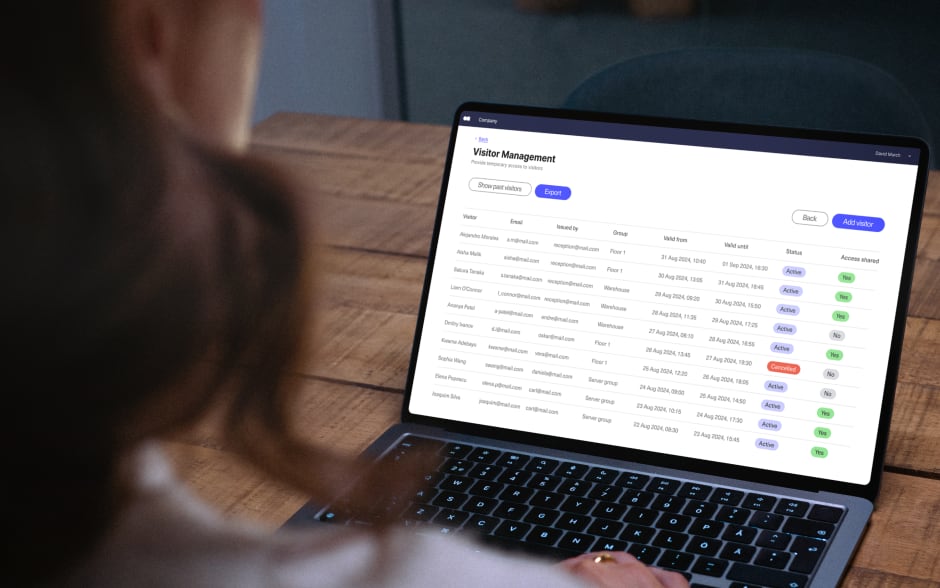
Kisi built its reputation on cloud-based access control, and its visitor management software runs on the same platform, which means a guest you register is already tied to the doors they're allowed to open. From one dashboard you can send invitations with access links, notify hosts when their guests arrive, and manage and review visitor logs.
Kisi's intuitive dashboard allows easy self-check-in. If you want to automate the check-in and access-granting process, you can do so with a few clicks, enabling visitors to enter at pre-defined hours and conditions using access links or QR codes. The information you gather about visitor trends also allows you to comply with industry standards and plan more effectively for future staffing and resource management.
If you want a dedicated check-in point in the lobby, Kisi Kiosk Pro turns a touchscreen tablet into a station where visitors register themselves and leave with a printed badge or QR code that already carries their access. Staff and members can use the same device to check in or book resources. The kiosk is optional, though, since Kisi's visitor management runs without any tablet or kiosk hardware, so you can start with QR code sign-in and add Kiosk Pro once front-desk traffic justifies it.
If you're looking for a more integrated visitor solution, you can also combine Kisi's visitor management with access control and video surveillance under the One Security Platform. This provides all-around protection for your organization and a better entry process for employees, clients, and visitors.
Positive reviews for Kisi
“I had heard about Kisi’s reputation for quality products and outstanding customer care—after our initial consultation and conversation, I was sold. From purchase to install to everyday use, we’ve been extremely satisfied with Kisi.” - Source: Capterra
Negative reviews for Kisi
“The cost of transitioning to the most up-to-date hardware can be a bit steep, but all of the updates are very thoughtful improvements to the initial product.” - Source: G2
Kisi visitor management pricing
Kisi publishes its visitor management pricing per location. The Basic plan is free and covers an unlimited visitor log along with a small allowance of access links. Plus starts at $99 and adds host notifications, self check-in, badge printing and custom branding. Pro starts at $199 and brings custom sign-in fields, NDA and signature collection, and directory sync.
You can trial the paid plans free for 30 days. Door unlocks depend on Kisi hardware priced separately: access links need Controller Pro 2, and QR code unlocks also need Terminal Pro. The full plan comparison sits on Kisi's visitor management pricing page, and a demo request will get you a hardware quote for your own doors.
2. Archie #

Archie takes a tailored approach to visitor management, with a primary focus on optimizing the user experience. They offer a customizable white-label app, which means that you can register visitors directly on your branded application.
Like other companies on this list, they also offer additional features, including desk booking and room booking functionalities, which can be leveraged by both employees and visitors. Archie understands the evolving needs of your space and provides a comprehensive solution that adapts to your requirements.
In addition, Archie effortlessly syncs with Kisi's access control system, providing a unified solution that enhances your security measures. This integration ensures a smooth and cohesive experience, allowing you to grant physical access to visitors the moment they check in with Archie.
Positive reviews for Archie
“The visitor management system is top-notch. It’s easy to set up custom check-in flows, the app itself is very intuitive, and the notifications when guests arrive are super helpful.” - Source: Capterra
Negative reviews for Archie
“Setting up our custom workflows took longer than expected, but once it was done, everything worked perfectly.” - Source: Capterra
Archie visitor management pricing
Archie's visitor management starts at $109 per office per month on the Starter plan, which includes unlimited visitors, the kiosk app, badge printing and e-signatures. The Pro plan costs $185 per office per month and adds visitor analytics, custom branding, SMS notifications and SSO.
3. Envoy #

Envoy is a well-known option among enterprise companies. They’ve been a leader in the industry for years, and they’re always looking to innovate and improve the visitor experience.
The sign-in process is very straightforward, and you can create custom criteria for entry and screen visitors before they enter. Plus, employees can be automatically notified when their visitor arrives. They also give users the option to send visitors important info pre- and post-visit, like forms and directions.
Envoy also offers additional desk and conference room booking features and additional services like delivery management and employee scheduling integrations. Offering a variety of features on top of visitor management, the company enables businesses to run their workspace following a hybrid model.
Envoy also integrates with Kisi, allowing you to sync your visitor log with your access control system to make the visitor experience even easier for your guests and staff. Envoy keeps access control integrations on its Enterprise plan, so you'll need that tier to connect the two systems.
Positive reviews for Envoy
“No issues with the platform and it made the notification process of visitors much smoother than using Teams/Ring doorbell to notify someone was in our lobby.” - Source: Capterra
Negative reviews for Envoy
“Licensing model can be a bit complicated depending on what you need.” - Source: Capterra
Envoy visitor management pricing
Envoy offers a free Basic plan for a single location, capped at 100 visitor entries a month and 50 employees in the directory. The Premium plan costs $362 per location per month when billed annually. Larger organizations can negotiate custom Enterprise pricing, which is also where blocklist scanning, ID scanning and access control integrations sit. You can test Envoy by taking advantage of their free trial.
4. OfficeRnD #

Focused on coworking and workplace management, OfficeRnD offers a comprehensive visitor management system designed to streamline the check-in process, enhance security, and improve operational efficiency. The Visitor Hub includes features such as pre-registration, document signing, and instant notifications via email and the app, ensuring a smooth and professional experience for both visitors and employees.
Customization is a key aspect of the Visitor Hub, allowing organizations to tailor the visitor experience to align with their brand identity. Users can customize the look and feel of the reception app, including colors, logos, and design elements, to provide a consistent brand experience from the moment guests enter the office.
Additionally, the platform enables the customization of visitor policies and procedures to comply with company or regulatory standards, such as pre-registering visitors, signing legal documents, and tracking visitor logs. Beyond visitor management, Visitor Hub also streamlines the handling of deliveries and can integrate with Kisi to enable a streamlined visitor access experience.
Positive reviews for OfficeRnD
“This is a powerful, integrated system. It always for comprehensive management of our coworking environment. We signed up for the premium onboarding assistance. It was worth every penny. One of the reasons that we chose this system was the variety of integrations with other platforms.” - Source: G2
Negative reviews for OfficeRnD
“For non-techsavvy users the platform can be a bit hard to setup. However, on the upside this provides also a lot of flexibility for more techsavvy users.” - Source: Capterra
OfficeRnD visitor management pricing
The Visitor Hub is available as an add-on for all OfficeRnD Workplace pricing plans, which start at $99 per month on the Start plan. Contact OfficeRnD for more pricing info.
5. Eden Workplace #

Eden Workplace offers a suite of products and services for office management, including visitor management. Within the Eden Workplace system, you can easily pre-register guests and sign in your visitors, as well as screen them for any safety concerns before they enter your space.
They offer similar services to other visitor management software, like the ability to send visitors forms and information before they arrive. With Eden, guests can sign themselves in upon arrival. The system will then notify your employees, cutting down on wait time for both parties.
Like several other visitor management solutions, Eden Workplace integrates with Kisi, making it simple to check visitors into your space and track access events. This gives you another layer of security and protection.
Positive reviews for Eden Workplace
“I appreciate the convenience provided by Eden. The user interface is simple.” - Source: Capterra
Negative reviews for Eden Workplace
“The admin side of things can be tedious but has been getting better. It is a burden to make changes to your floor plan.” - Source: Capterra
Eden Workplace visitor management pricing
Eden's Accelerate visitor management plan is $89/month/location when billed annually, or $109 on monthly billing. The next tier, known as Scale, costs $179/month/location on annual billing and includes visitor photos, file storage integrations, and single sign-on. Eden also offers custom pricing for enterprise companies.
6. FacilityOS #

FacilityOS, the company formerly known as iLobby, sells its visitor management system under the name VisitorOS, and it is one of the leading visitor management solutions among enterprise organizations. The solutions offered by FacilityOS go beyond pure visitor management and are built to streamline processes and workflows in the entire workplace. The system allows for pre-registrations, provides instant notifications, and includes real-time data and analytics.
Positive reviews for FacilityOS
“Very automated and allows hosts to be notified when their visitors have arrived.” - Source: Capterra
Negative reviews for FacilityOS
“The biggest challenge I have is the printer and the kiosk break communication occasionally and there’s not much to do but call for customer service at times. There have been a few times when my system was down for a short time until the system corrected itself.” - Source: Capterra
FacilityOS visitor management pricing
The Corporate VisitorOS plan starts at $225 per month and ships with an MDM-enrolled iPad already set up as a kiosk. The Enhanced plan starts at $299 per month and adds touchless sign-in, pre-registration, and badge printing with a printer included. Enterprise organizations can request a custom quote.
7. Eptura Visitor #

Formerly known as Proxyclick, Eptura Visitor is fairly well-known visitor management software. The company makes a clean, user-friendly product that can handle a variety of tasks, like visitor pre-screening, kiosk check-in, remote registration, and notifications. It’s an all-encompassing visitor management software, and they’ve been expanding their integration capabilities, making it even easier to work with.
Positive reviews for Eptura Visitor
“Easy to manage both expected and unexpected users. Administrators and users are able to quickly plan for their visitors and manage the entire process, including collecting critical information such as any training required for safety.” - Source: Capterra
Negative reviews for Eptura Visitor
“Changes from Proxyclick to Eptura have taken out some options I used to have and now require an extra fee.” - Source: Capterra
Eptura Visitor pricing
Eptura Visitor is available in three plans: Core, Advanced, and Power. You can purchase a subscription plan and add extra features for a custom-built solution. Contact their team to schedule a demo and discuss pricing options.
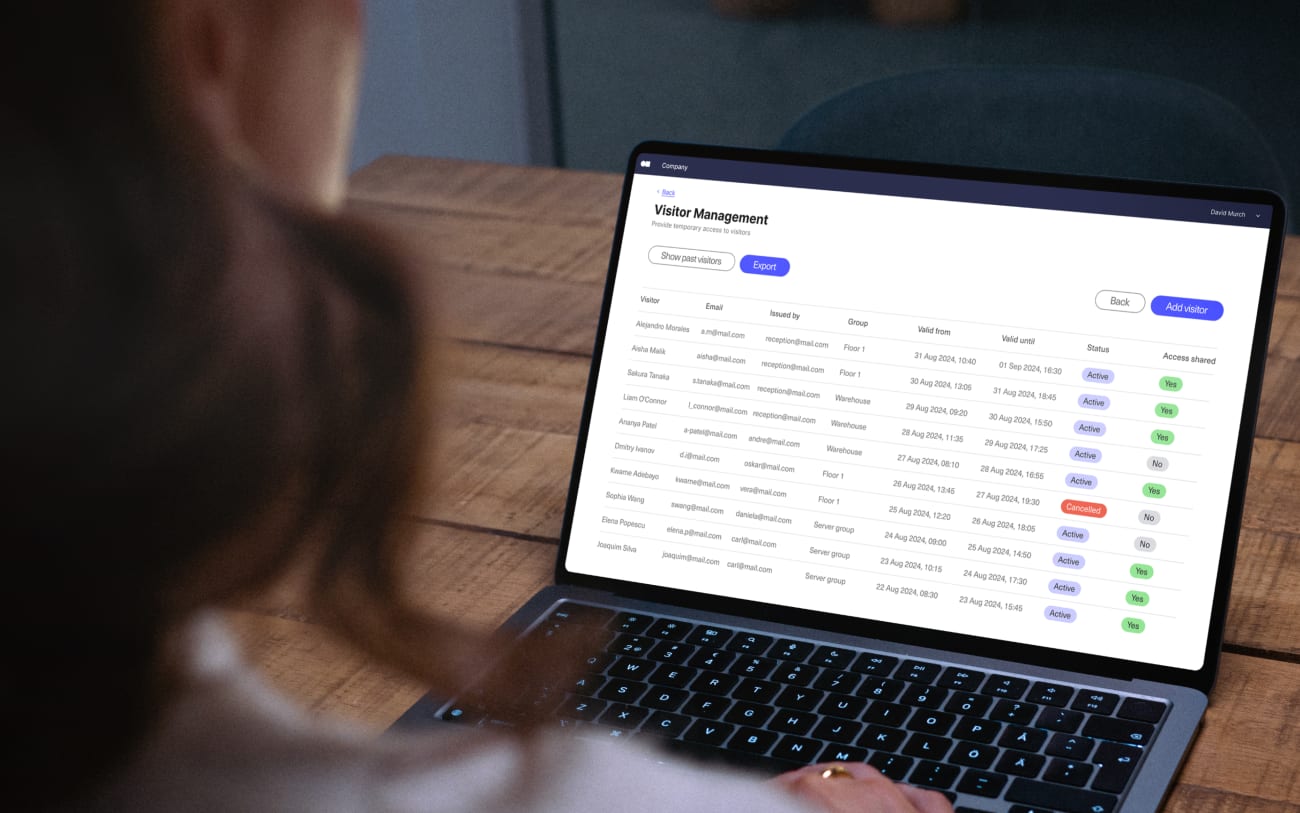
Explore visitor management
Enhance visitor experience, maintain a secure environment, and ensure compliance with detailed visitor schedules.
8. Sine by Honeywell #

Sine by Honeywell, which Honeywell marketed for several years as Honeywell Forge Visitor Management, is another top-rated visitor management software. Customers say it's very simple to set up and straightforward for users on both the admin and visitor side. Sine offers contactless sign-in from mobile devices, which means no additional hardware to install and no wait time for visitors when they arrive on site.
Employees can also receive notifications when their visitors arrive and accept or reject visitor requests. The company offers a unique check-in service, where visitors scan a QR code outside the building or office they're requesting to enter. This means there's no need for a receptionist to screen visitors or manage the check-in process.
Positive reviews for Sine by Honeywell
“Sine does exactly what it’s meant to do. It saves you a lot of time from doing it manually. It is also user-friendly, both for visitors and staff.” - Source: Capterra
Negative reviews Sine by Honeywell
“My least favorite thing about this platform is that it can sometimes be a bit tricky to use at first. Setting up and customizing features can take some time to master.” - Source: Capterra
Sine by Honeywell pricing
Sine no longer publishes prices. Its Core plans come in Small, Medium and Large tiers, sized to the average daily check-in volume at your site. Organizations checking in more than 150 visitors a day, or running a large portfolio of sites, move to Enterprise pricing. Small through Large plans start with a 30-day free trial, after which Sine's team contacts you with billing details.
9. Splan #

Splan works to enhance the guest check-in experience and take away the pain of manually tracking visitors. This AI-powered platform allows visitors to pre-register online or through their app and will automatically perform background checks for you. The visitor’s information can then be edited by employees without needing an administrator or front-desk worker to step in.
Splan sends notifications to employees and visitors upon check-in and check-out and can use facial recognition to remember returning visitors. You can also print visitor badges, which can be customized under some of Splan’s plans.
Positive reviews for Splan
“Great for high security facilities as it’s highly customizable to meet contractual security requirements and industry best practices.” - Source: Capterra
Negative reviews for Splan
“We had a lot of complex requirements and onboarding took longer than hoped.” - Source: Capterra
Splan visitor management pricing
Splan offers a standard plan with essential features and the option to choose add-ons for an extra fee. Contact them to request specific pricing information.
10. Raptor #

Raptor's VisitorSafe system is built specifically for K-12 schools and districts. Their software can screen any visitor, performing background checks to ensure your students and staff stay safe. Plus, they offer screening questionnaires before guests arrive or at the door.
Raptor can check visitors’ names against state databases, as well as against custom databases created by users. If visitors set off a red flag, it alerts administrators and security. For safe visitors, Raptor can print badges that are customized to your location. The software can also generate comprehensive visitor logs for both individual locations and multiple locations within a network.
Positive reviews for Raptor
“It is a very simple straightforward operation that allows you to either scan or manually enter persons into the system. Additionally, it allows you to enter the destination of a person on the badge itself so that employees know where the person is going and if they are lost.” - Source: Capterra
Negative reviews for Raptor
“What I like least about the Raptor system is that the site buffers at times and the visitor information that is brought up after an ID scans is not always as accurate as I’d like.” - Source: Capterra
Raptor pricing
Contact Raptor to discuss pricing options.
11. Greetly #

Greetly by OfficeSpace has a lower price point than many of the other best visitor management systems on this list. However, it still has robust features that are particularly well-suited to smaller businesses. With Greetly, you can customize branding, send instant notifications, and check-in visitors with ease. They also offer pre-registration and pre-appointment confirmations, visitor handoffs, and nondisclosure agreement acknowledgements.
Positive reviews for Greetly
“The self-service kiosk approach is intuitive and helps streamline visitor management while reducing front-desk workload.” - Source: Capterra
Negative reviews for Greetly
“It has limited support for complex visitor workflows and limited personal interaction.” - Source: Capterra
Greetly visitor management pricing
Greetly’s Essential plan is $99/month, billed annually. Their Pro plan includes additional features, such as visitor badge printing, two-way texting, and government-ID scanning. This plan costs $159/month.
See what Kisi’s visitor management software can do #
With so many players in the market, it can seem difficult to know which visitor management software will be the ideal option for your business. Start with a list of must-have features and investigate which solution most closely matches it.
Whether you’re looking for the most user-friendly dashboard, the smoothest integrations, or the best visitor kiosk, Kisi has you covered. Kisi’s visitor management system offers all the critical features you’d expect from a visitor management system, combined with effortless integrations with other security systems, such as access control and video surveillance. Learn more about how you can manage visitors with Kisi or get a demo to see how it can work for you.

Alberto Di Risio
Acquisition Marketing Manager at Kisi
